ANDROID FOR FRESHER
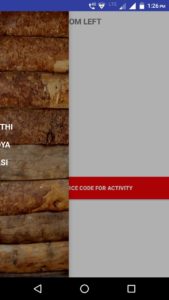
Android Program Navigation Drawer
Java Code(NavAct)
Layout XML Code(activity_nav)
<?xml version="1.0" encoding="utf-8"?> <android.support.v4.widget.DrawerLayout android:layout_width="match_parent" android:layout_height="match_parent" android:id="@+id/dl1" xmlns:android="http://schemas.android.com/apk/res/android"> <LinearLayout android:orientation="vertical" android:layout_width="match_parent" android:layout_height="match_parent"> <TextView android:layout_marginTop="10dp" android:layout_width="wrap_content" android:layout_height="wrap_content" android:textSize="@dimen/textsize" android:layout_marginLeft="10dp" android:textStyle="bold" android:text="@string/navtext" android:layout_marginBottom="320dp" /> <Button android:layout_width="400dp" android:layout_height="wrap_content" android:text="@string/sourcecode" android:background="@color/bgcolor" android:textStyle="bold" android:layout_marginLeft="5dp" android:layout_gravity="center" android:textColor="@color/text" android:onClick="view1"/> </LinearLayout> <LinearLayout android:layout_gravity="start" android:layout_width="match_parent" android:layout_height="match_parent" android:background="@drawable/wood" android:gravity="center" android:orientation="vertical"> <TextView android:layout_width="wrap_content" android:layout_height="wrap_content" android:text="Fdaytalk" android:layout_marginBottom="15dp" android:textColor="@color/text" android:textStyle="bold" android:textSize="20sp"/> <TextView android:layout_width="wrap_content" android:layout_height="wrap_content" android:text="Android" android:layout_marginBottom="15dp" android:textColor="@color/text" android:textStyle="bold" android:textSize="20sp"/> <TextView android:layout_width="wrap_content" android:layout_height="wrap_content" android:text="Fdaytalk" android:textColor="@color/text" android:textStyle="bold" android:textSize="20sp"/> </LinearLayout> </android.support.v4.widget.DrawerLayout> Output :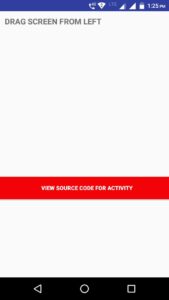
 Download Android Source Code
For More Android Programs - Click Here
Follow Us – Never Miss Update
Fb/Page, Twitter, Google+, Instagram, Pinterest
Related search
android navigation drawer code download, Android code for Navigation drawer activity, Android code for Navigation bar, Android program for Navigation drawer, Android Navigation drawer Code, Navigation drawer Android code, Navigation code for android fresher, code download of Navigation drawer, Download source code of Navigation Drawer Android, android navigation drawer code download
Was this guide helpful?